AloQuant.ai refines the split-view reading experience on iPhone DUO
Version 1.6.0 brings together three improvements to independent-window layout, top navigation and system-edge rendering.

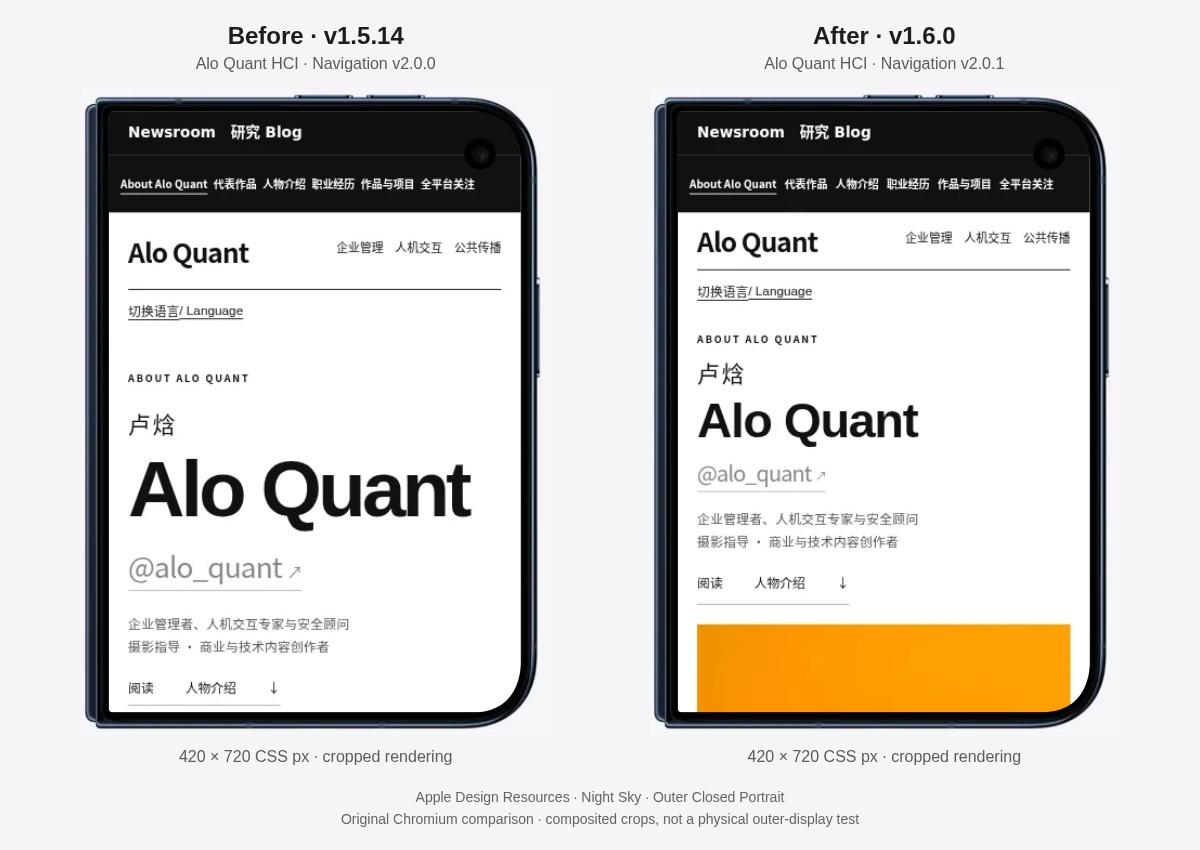
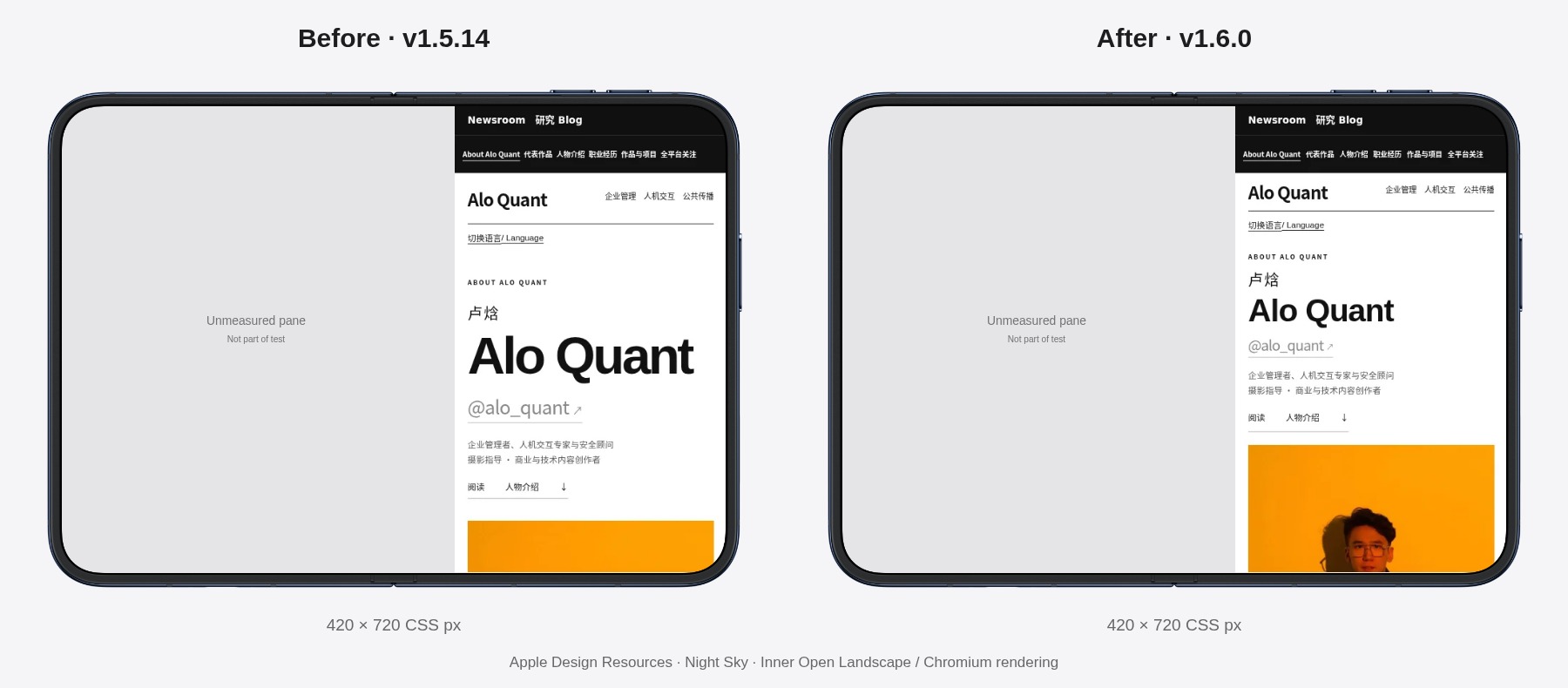
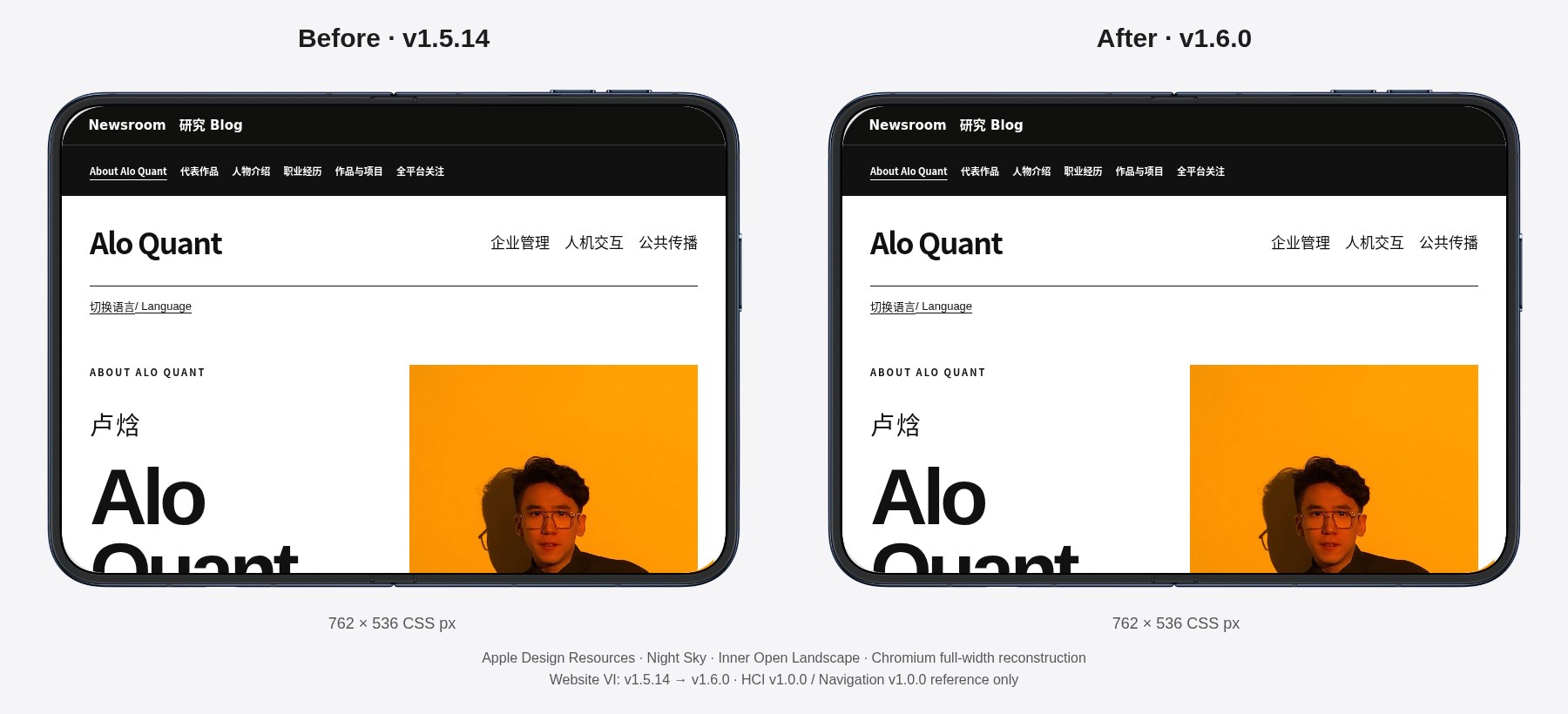
Current navigation design: Alo Quant HCI · Navigation v3.0.1 (Layout R1.1) — The figures show the historical navigation, not the current third-generation design. Design IDs were assigned retrospectively on November 26, 2026; the original artwork and historical pages remain unchanged.
Reading on iPhone DUO is not limited to its closed or unfolded states. Readers may place Safari beside another app to consult sources, take notes or continue a discussion while reading research. This update brings independently sized app windows into our compatibility design.
Let the reading space determine the layout
The profile adjusts its title, spacing and language controls to the available window width without relying on device-model detection. Navigation retains complete labels and touch targets, with horizontal browsing when space is limited.
Respect the system interface
News and research pages refine sticky navigation backgrounds and safe-area handling. Safari retains control over its address bar and system interface; the website does not attempt to hide or take over those controls.
Separate edge rendering from split-view layout
Existing right-side background compensation remains available under its supported single-app conditions. Unverified left-side extension and detected split-view states use a conservative viewport-contained rendering strategy. Layout is recalculated as the window changes.
These three improvements form v1.6.0. Actual rendering depends on the Safari version, window configuration and system text size; device compatibility verification continues.
Read about the previous iPhone DUO update
Version history
- 2026-11-26 · R3.0.7 — Replaced the full-width comparison with closed outer-display comparison; retained historical evidence and share cover.
- 2026-11-26 · R3.0.5 — Recorded Alo Quant HCI navigation design IDs and source provenance without changing the artwork.
- 2026-11-26 · R3.0.4 — Full-width inner display. Archived HTML and version-specific split-view/navigation CSS at 762 × 536 CSS px; other shared assets from the current website. Similar layouts at this width; not a physical-device or split-view test.
- November 26, 2026 · R3.0.3 — Filled the closed display with web content and moved it to the first figure; retained the open-display comparison.
- November 26, 2026 · R3.0.2 — Added the official closed-device exterior and illustrative display-off state.
- November 26, 2026 · R3.0.1 — Replaced the illustration with a comparison composited using the original Apple Design Resources iPhone Duo landscape bezel. Retained the browser evidence.
- November 26, 2026 · R3 — Withdrew the non-official device illustration and animation; restored the original browser evidence and linked Apple’s official resource. Official bezel integration pending verification.
- November 26, 2026 · R2 — Added device frames and unfolding animation; retained the original comparison.
- November 25, 2026 · v1.0.1 — Restored Newsroom article structure and added the browser comparison.
- November 25, 2026 · v1.0 — Initial announcement.